Check the CSV before uploading
Open the file in a spreadsheet editor or text editor and make sure the first row contains headers. Each following row should have the same number of fields. Use a consistent date format and remove report titles, subtotal rows, and empty columns that are not part of the data.
Use descriptive, unique column names
Good headers make it easier to configure a pivot table. Names such as Region, Channel, Order Date, Revenue, and Units are more useful than generic labels like Column 1. Avoid repeating the same header name because it is harder to distinguish fields later.
Upload the CSV and select pivot fields
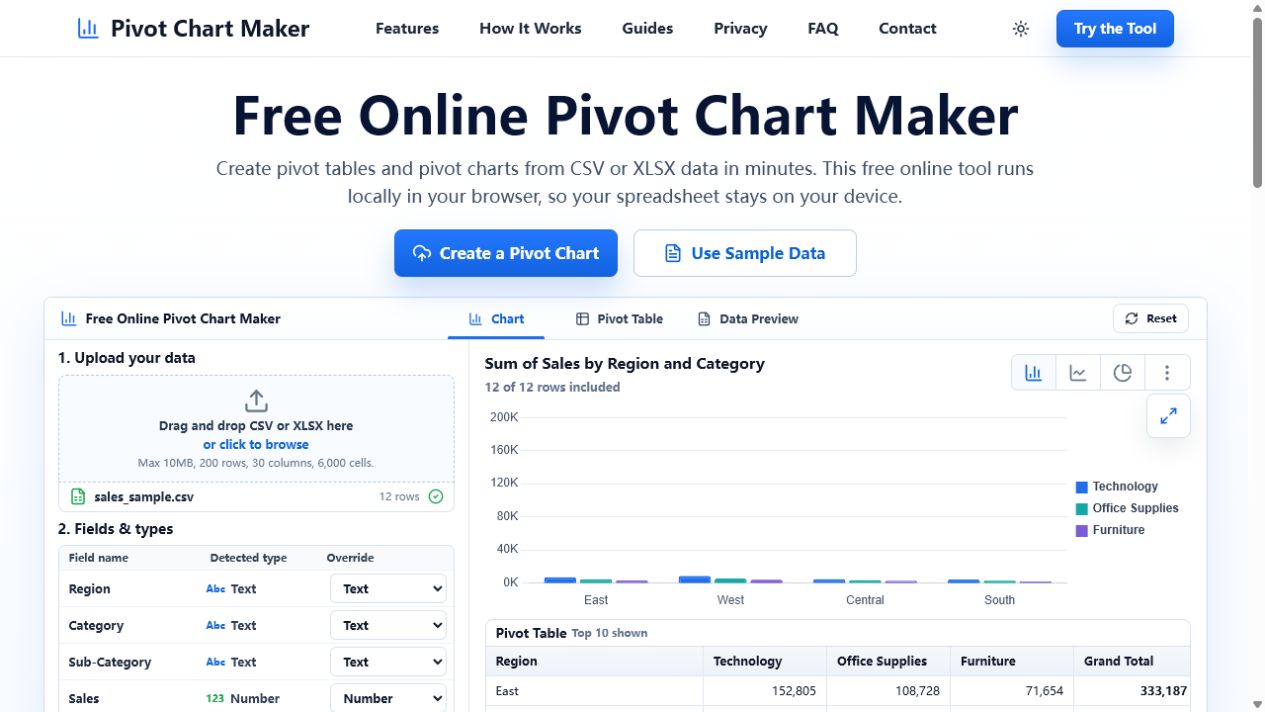
Open the free online pivot chart maker and upload the CSV. Select a label field for rows, an optional field for columns, and a numeric measure for values. Then choose Sum, Average, or Count based on the question you want to answer.
Match the chart to the summary
Use a bar chart to compare groups such as regions or products. Use a line chart when the row field is a date and you need to see a trend. Limit a pie chart to a small number of categories that add up to a whole.
Validate and export
Review the pivot table first. If the totals look right, switch to the chart and check that labels are readable. Export the table as CSV or XLSX, or save the chart as a PNG for a report or presentation.
CSV example: sales by region
Download this tidy 12-row CSV to see the full workflow. Its headers are Region, Category, Sub-Category, Sales, Quantity, and Order Date. For the chart, use Region for rows, Category for columns, and Sum of Sales for values.
Download the example sales CSV · See the full setup and result